Capture • Collaborate • Close out

Smarter Site Documentation for Complex Projects

SnagSnap is the construction and engineering platform for MEP and CSA teams, integration specialists, engineers and consultants.

Capture issues, coordinate across disciplines and keep your project on track, from site to sign-off.

Get Started Today

iPhoneAndroidMac and PC browserWorks offline
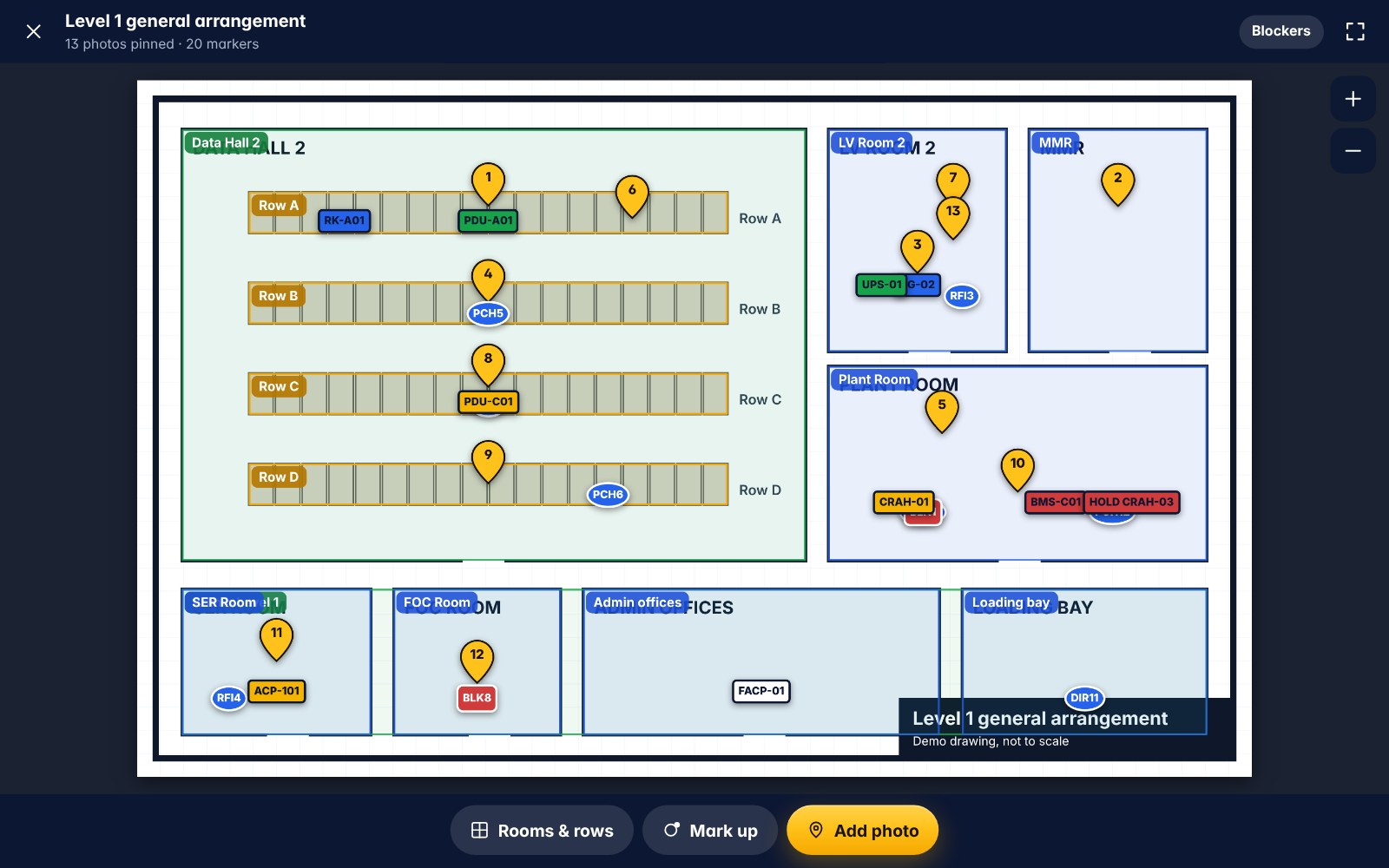
SnagSnap on a laptop: the Level 1 GA plan with numbered photo and issue pins
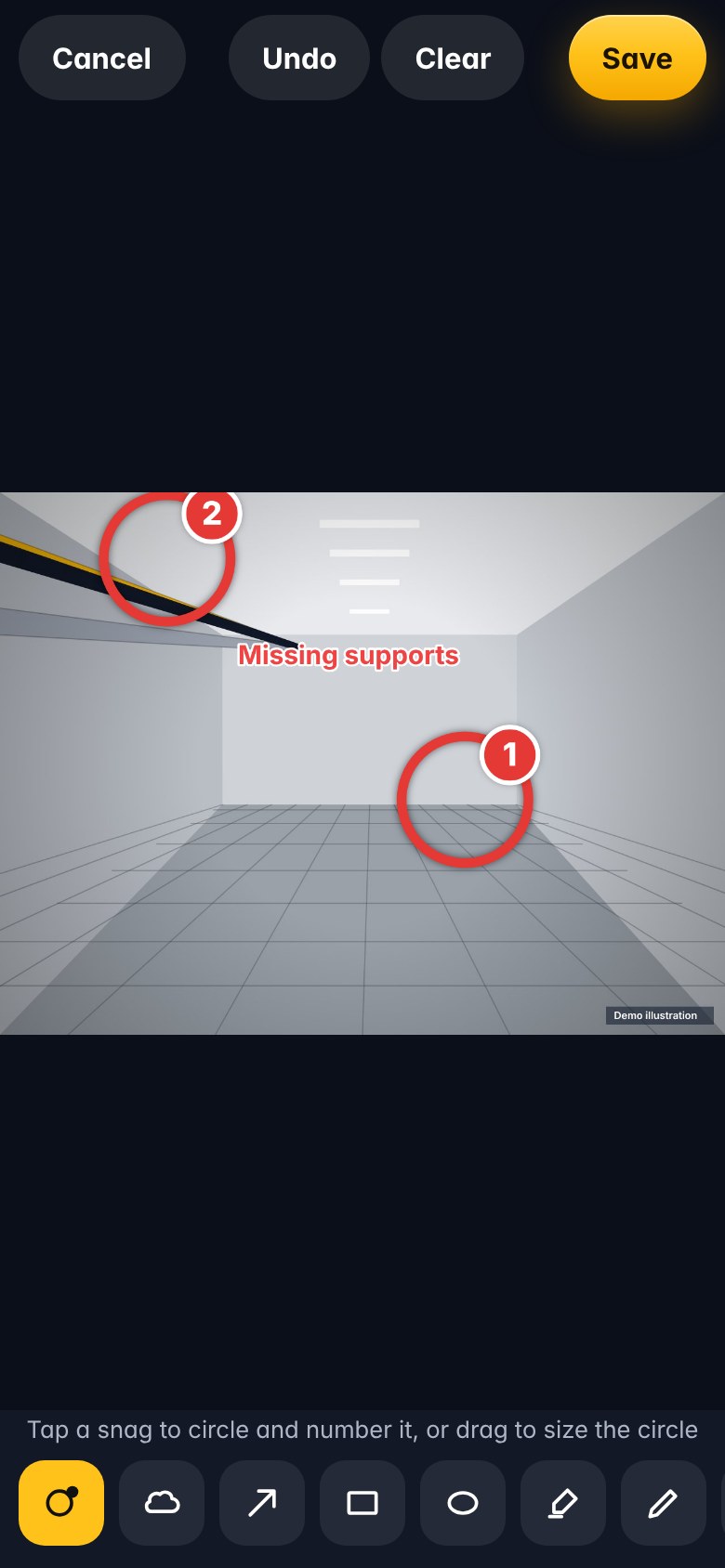
SnagSnap on a phone: a photo of a cable tray penetration marked up with a numbered snag circle and arrow

Built for the Industry

MEP Teams

Mechanical, electrical and plumbing

CSA Teams

Civil, structural and architectural

Integration Teams

Interfaces, holds and dependencies

Engineers

Record, verify and resolve

Consultants

Inspect, report and advise

Project Managers

Track progress and close out

Key features

Capture. Coordinate. Complete.

With SnagSnap your teams work smarter, communicate better and hand over higher quality projects, on time and on budget.

Explore Features

On-Site Capture

Take photos, add annotations and pinpoint issues.

  • Stamped with time, place and project
  • Voice notes turned into text
  • Works with no signal

Project Coordination

Share and track across disciplines in real time.

  • Photos pinned to plans and rooms
  • Equipment tracked from L1 to L5
  • Dashboards for every discipline

Issue Management

Assign, monitor and make sure every snag gets resolved.

  • Punch items, RFIs and blockers
  • Contractor reply links, no account needed
  • Overdue alerts

Professional Reporting

Clear, accurate reports for stakeholders.

  • PDF and Word with marked-up photos
  • Daily and weekly reports
  • Stakeholder summaries drafted for you

In your pocket

Everything on site, one tap away

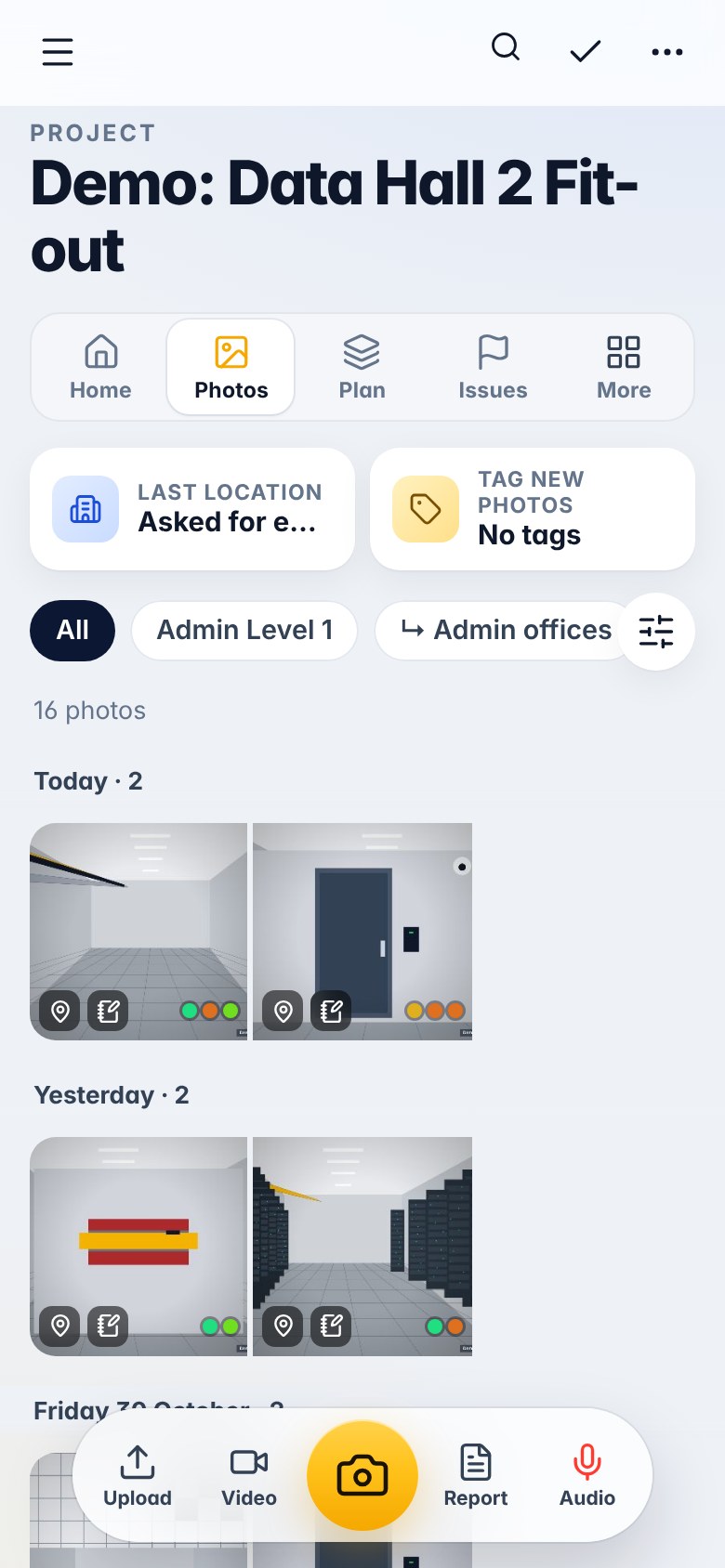
Project gallery with photos grouped by day and location
Photos by day and roomEvery shot stamped and filed
Photo markup with a numbered snag circle
Mark it upCircles, arrows and numbers
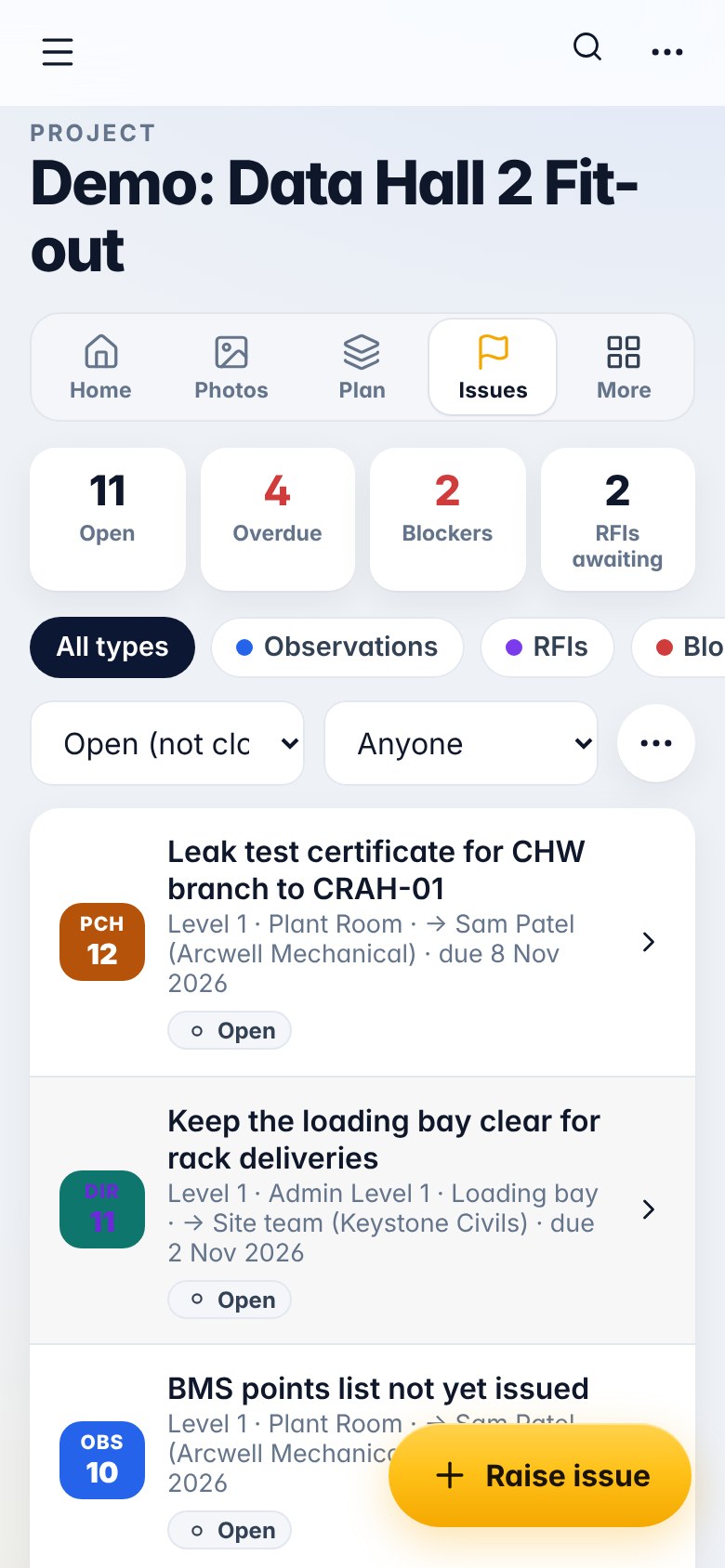
Issues list with punch items, an RFI and an overdue flag
Issues and RFIsWho owes what, and by when
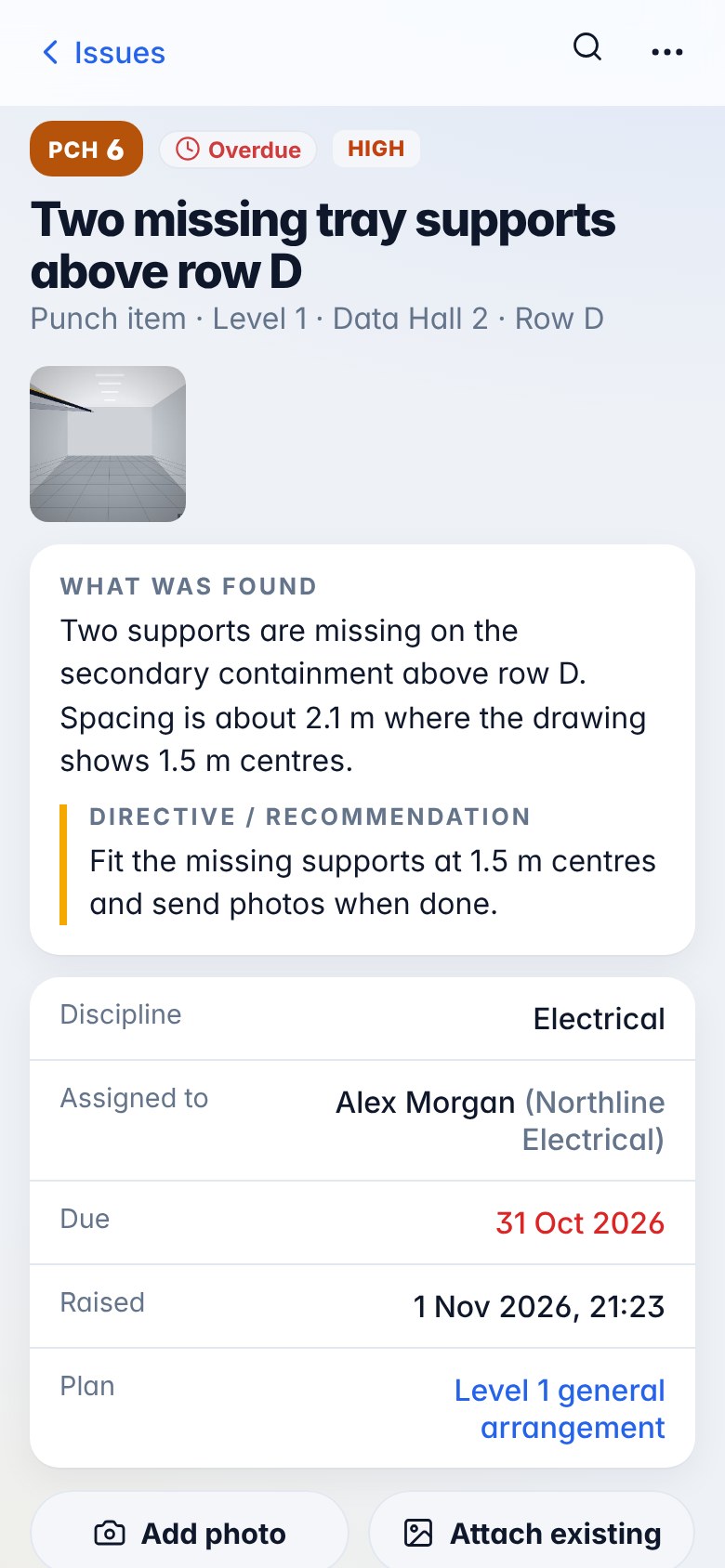
A punch item with the photo, what was found, the recommendation and the contractor
Close it outContractor replies with a photo

Benefits

Less chasing. Cleaner handover.

1

Evidence in the right place

Every photo lands on the plan, the room and the issue it belongs to, so you can find it again at handover.

2

Contractors answer faster

A single link shows them the snag, the photo and what to do. Their reply comes straight back into the issue.

3

Reports in minutes

Pick the issues or photos, choose the layout and issue a branded PDF or Word report from site.

4

Your data, your account

Runs on your own cloud account. Photos and records stay with you, not in someone else's system.
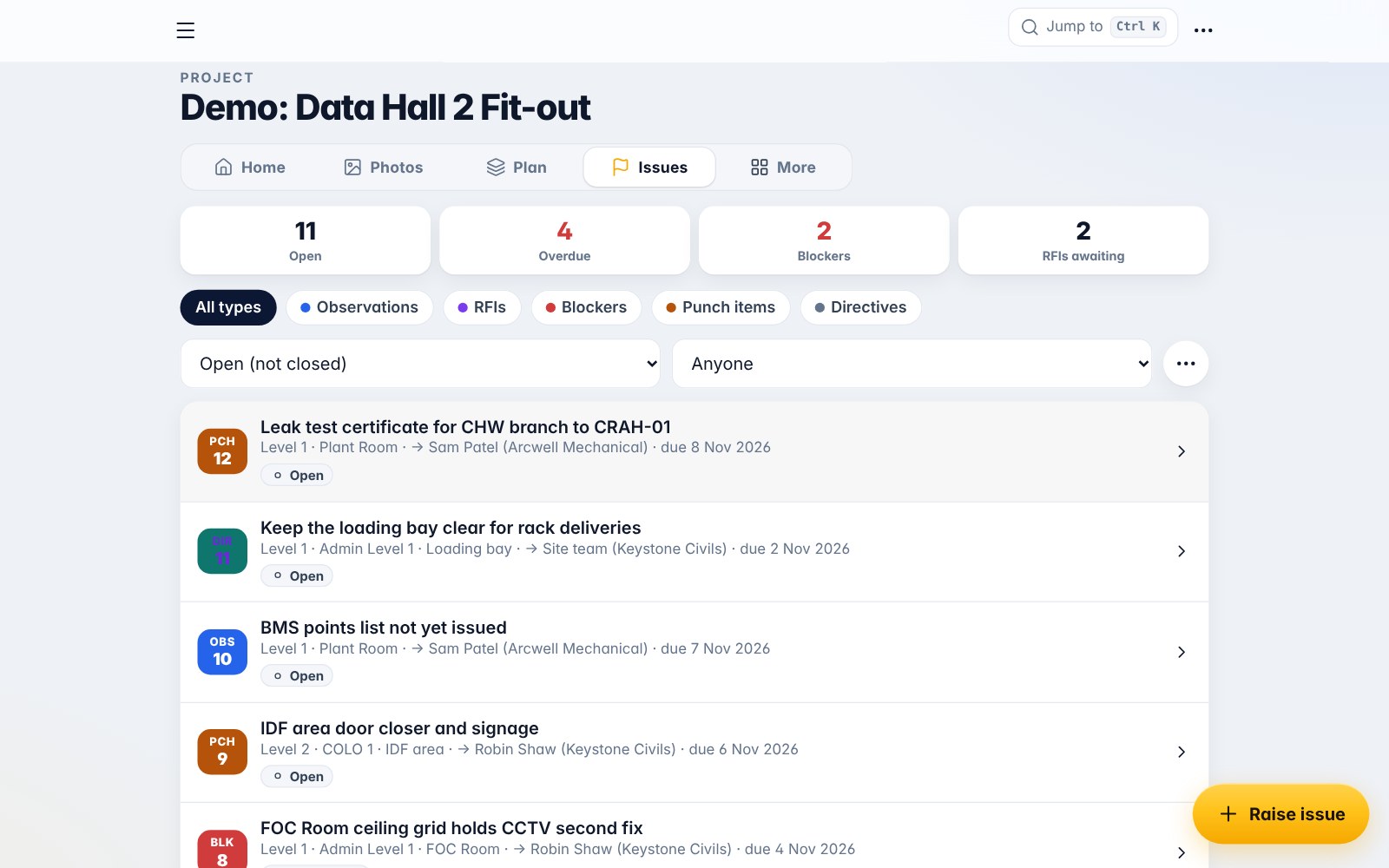
SnagSnap issues view on a laptop with counts for open, overdue, blockers and RFIs
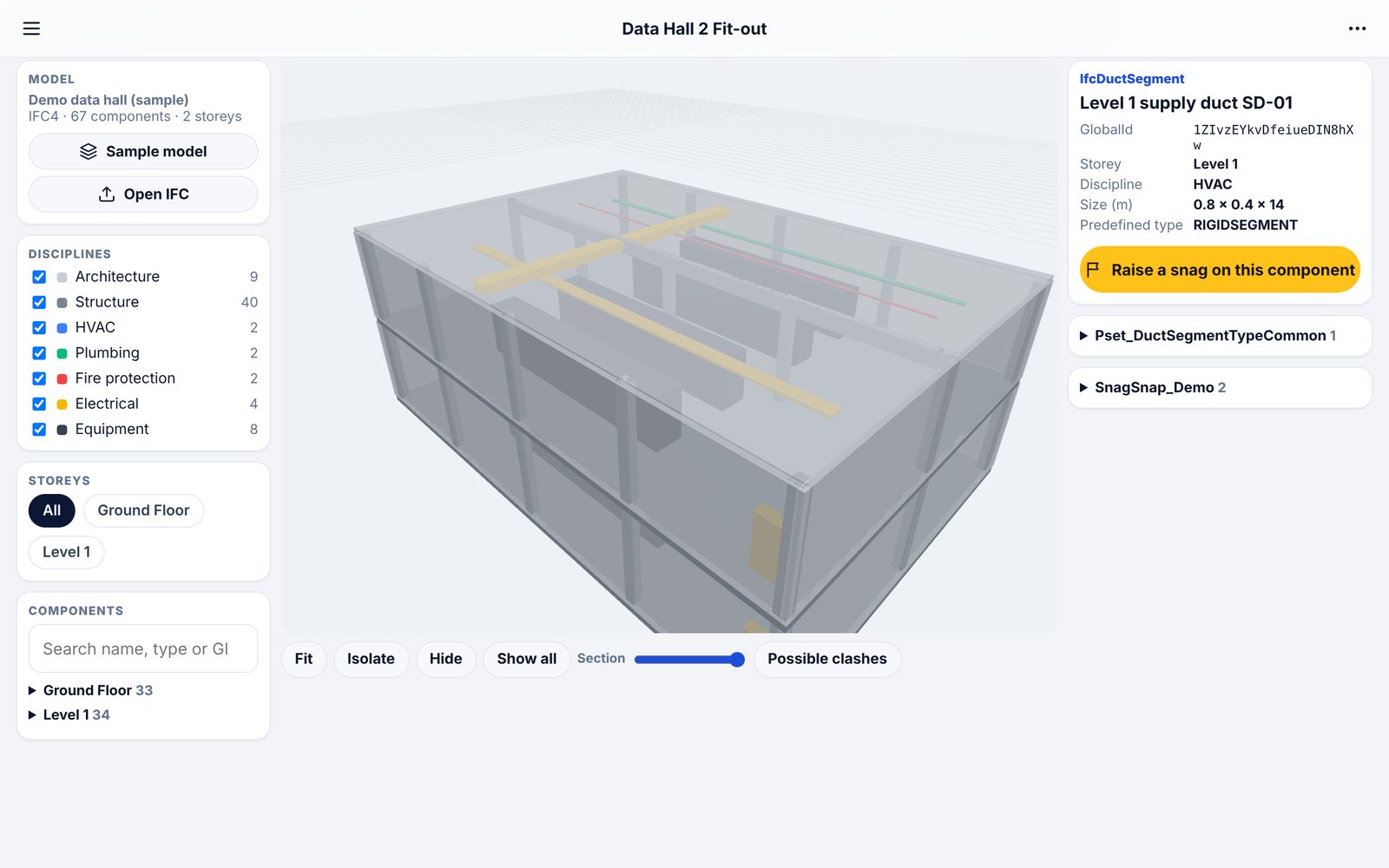
SnagSnap BIM preview: a 3D data hall model with the Level 1 supply duct selected and its properties shown
Preview · in development

Snags linked to the model

Open an IFC model, click a component and raise a snag on it. The snag keeps the component's IFC GlobalId, so it reopens on the same duct, beam or tray every time.

3D viewerDisciplines, storeys, isolate, section and properties
Model-linked snagsSaved with the GlobalId and camera view
Clash checksEarly box check today, full shape checks planned
Coming nextModel storage, versions, federation and BCF

IfcDuctSegment · Level 1 supply duct SD-01 · GlobalId 1ZIvzEYkvDfeiueDIN8hXw
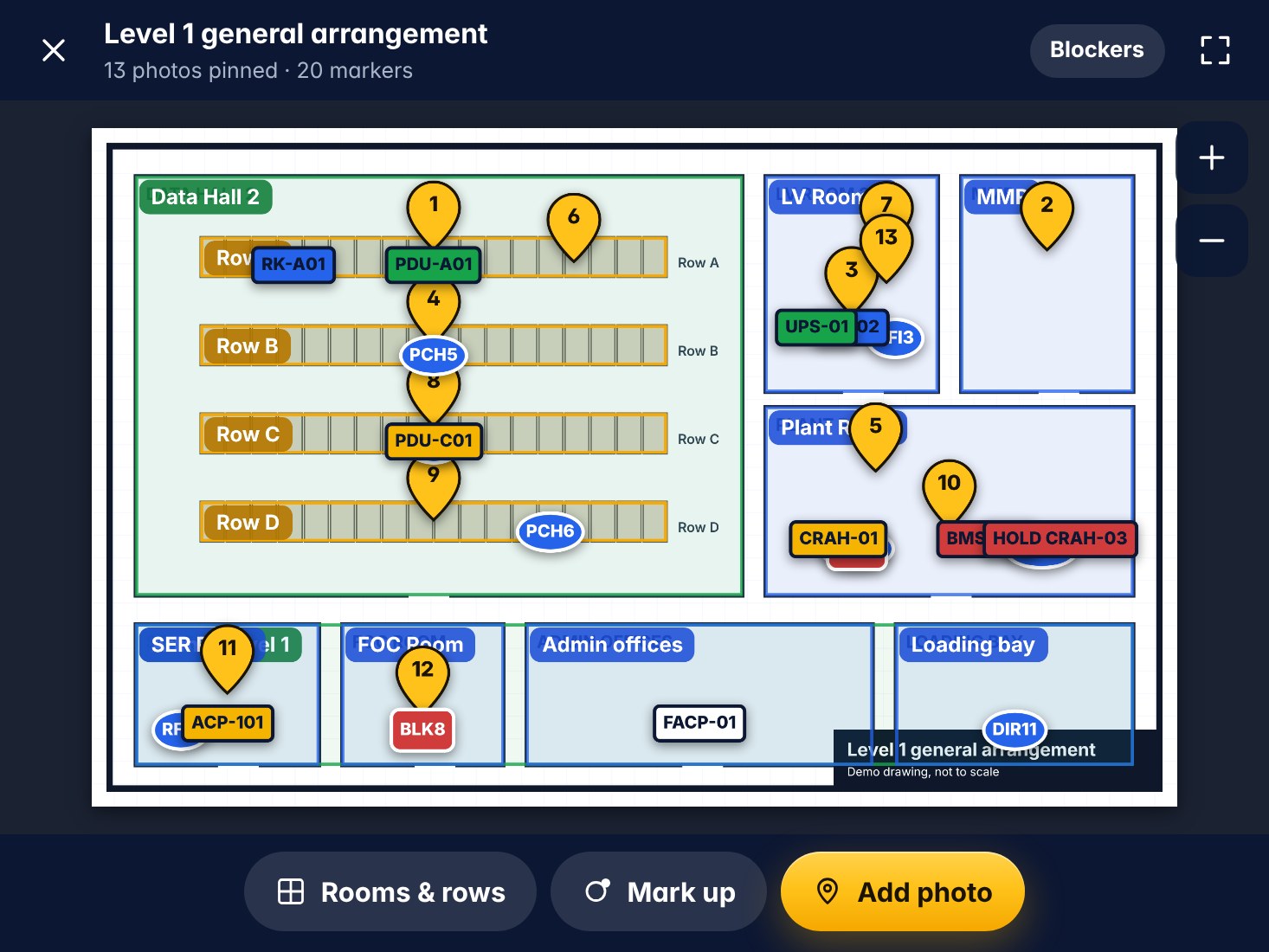
SnagSnap on a tablet showing a marked-up GA plan

Deliver better outcomes

The Professional Choice for Modern Construction

SnagSnap helps you bridge the gap between disciplines, improve collaboration and keep quality high from start to finish. Made by people who run integration on live data centre builds.

  • One tap from photo to snag to contractor
  • Plans, rooms, grid lines and equipment in one project
  • Phone, tablet and laptop, online or off
Start Your Free Trial

Pricing

Start free. Grow with the project.

Site

FreeSelf-hosted on your own cloud account

  • Unlimited projects and photos within your cloud allowance
  • Issues, plans, reports and site instructions
  • Contractor reply links
Get Started

Team

Coming soonPricing to be confirmed

  • Everything in Site
  • Named users and roles
  • Hosted for you, with backups
  • BIM model viewer and model-linked snags
Register Interest

Enterprise

Talk to usFor main contractors and clients

  • Everything in Team
  • Multiple sites and organisations
  • Single sign-on and custom report templates
Contact Us

Team and Enterprise are planned. Features and prices may change before launch.

Support

Help when you are on site

Help centre

Over 80 short articles inside the app, from taking your first photo to sending a site instruction.

Video guides

Ten short phone-screen videos that show each job step by step. Open them from Help in the app.

Talk to us

Questions about a trial, the Team plan or a rollout on your project.

contact@biglrizmedia.com →